Passkeys in an Ordinary Web App: What You Still Need a Password For
The origin of account-management rules for passkey-based auth typically originates with Google’s 2026 autofill and discoverable-credential guidance, and ends with the NHI's updated guidance…
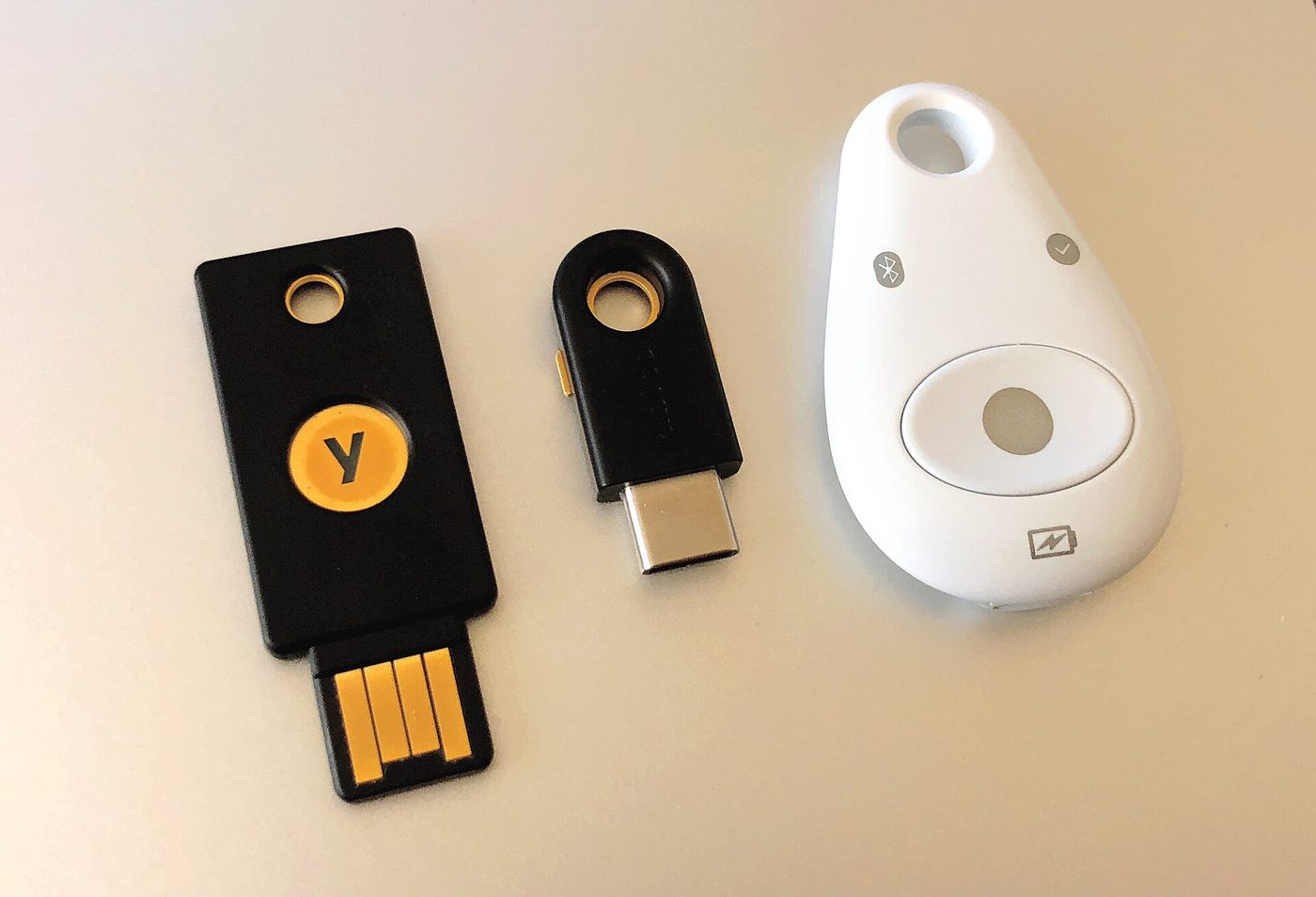
Passkeys are an alternative to passwords that allows authentication using a secure key stored on the user's device, rather than an easily forgotten or phished password. However, while passkeys can offer a more convenient and secure login experience, they do not eliminate the need for a password-style fallback on day one. Even after adding passkey authentication to an app, existing password users still require a transition path to passkeys, and users who lose or delete all their passkeys still need a way to recover their accounts.
To roll out passkeys in a normal web application, you begin by adding them alongside existing passwords, rather than immediately deleting the password database. Chrome's passkeys documentation recommends that apps that have users who have already saved a password in their password manager should automatically create passkeys for those users, either on first login or in a separate onboarding step. ) ) Similarly, Google's web passkeys pathway advises developers to add passwordless sign-in with passkeys while continuing to accommodate users who may have existing password logins. )
Once you have added passkey support, the login flow must include an entry point for users who have already enrolled their passkeys. Yubico's passkey guidance states that if a device has autofill enabled, the app should allow the user to navigate to the login page and attempt to discover any passkeys stored on the device. ) ) Authgear's passkey writeup says the major use case of client-side discoverable credentials is to support an autofill prompt on the login page.
In the typical credential discovery flow, the login page shows a blank username or email field, and as soon as the user clicks or taps into that field, the browser or platform offers up a list of discoverable credentials that could fit the login pattern. The user then taps their selected passkey to autofill the field, and the app verifies the credential and logs them in. ) If the device does not offer credentials to autofill, the user may need to navigate to a modal WebAuthn prompt instead, or go to account registration if they do not have an account yet.
Even if you have added passkeys and a nice credential autofill flow, passkeys can still be lost. Passkeys must be either stored locally on a device, or synced locally to a limited number of devices within a single ecosystem or installed on a single authenticator. That means passkeys are not protected by the kind of Sync or cross-device backup functionality that most password managers use. Because passkeys can be lost or deleted, every app that offers passkeys must also offer a way to get back in, without passkeys at all.
Google’s guidance for passkeys user journeys says explicitly that if a user deletes all of their passkeys, the app must have a path for them to get back into their account, even if they do not have any passkeys at all. One possible way to recover from a lost or deleted passkey is to use a backup method like email or SMS. ) For that, Google suggests sending the user a sign-in link or sending them a code through their backup method, which will allow the user to log in and re-enroll a new passkey..
A guidance page on fallback methods for passkeys goes into more detail about the kinds of recovery methods an app should be prepared to support. It says that well-designed fallback recovery may include recovery codes that the user can manually copy to another device or platform. ) It also suggests that even if a user’s main device or platform cannot be used as a backup device, the app should support adding passkeys on a secondary device, or asking a secondary platform to sync the passkeys. ) For organizations, some guidance suggests that fallback recovery can include an internal help desk or verification system, using out-of-band verification or internal approval. ) If the user is an employee or partner, the help desk can serve as a recovery method with identity proofing, manager approval, or out-of-band verification. ) Finally, NHI suggests that temporary access grants should be used sparingly, with mandatory re-enrollment after a short time window. )
However, before a web app can confidently remove passwords on day one, there are still several open planning and implementation questions. There is no primary-source statement yet verifying that an app must support more than one passkey per account, even though Some documents suggest higher security factors during the passkey flow. Additionally, it is not clear whether passkeys that are available in one ecosystem can always be accessed as discoverable credentials from another ecosystem, a limitation that can effectively cause an implicit second factor failure mode. ) The effect of shared or managed devices on passkey flow is also not yet documented in primary sources, nor is there guidance yet on enforcing personal device use without causing dependency on fallback.) Further, there is no clear statement yet on how to handle employees or users who are unable to enroll passkeys at all, due to unsupported or inaccessible hardware platforms or inaccessible cloud ecosystems
Finally, the timing of when a web app can remove passwords entirely is still an active operational question. Major platform vendors are still in the process of rolling out passkey support, and are not yet ready to support fallbacks or handoffs to non-browser platforms. That means that in 2026, the expectation is still that passwords will persist alongside passkeys for the foreseeable future, to safeguard security and certainty of access.
- 01Security & Identity
HMAC Webhook Signatures: The Four Mistakes That Pass Code Review
Webhooks pass event data between client and server with clear security guarantees.

- 02Security & Identity
Refresh Token Rotation and Reuse Detection: What the Attack Looks Like in Logs
You logged in and got a refresh token. You used it, and you got a new one. But now, after the interval between valid refresh-rotation windows, you try to use that first token again, as a…